Feature Flags
Feature flags
Feature flags (also called Toggles) allow to globally enable or disable specific application features (that are by default disabled), either:
- because they are resource intensive (like searchStatistics), or
- are still under evaluation (like searchAdvanced), or
- are only useful to a subset of users (like offline)
- are only useful on a specific IP (like uppyLexmark)
You can globally enable/disable the feature for everyone, or specify conditional filters to toggle filters only to a subset of users.
Syntax
"FeatureManagement": {
    "searchStatistics": true/false/enabledFor,
    "homeActions": true/false/enabledFor,
    "searchAdvanced": true/false/enabledFor,
    "searchCalendar": true/false/enabledFor,
    "searchAsYouType":  true/false/enabledFor,
    "offline": {
      "enabledFor": [
        {
          "name": "Client",
          "parameters": {
            "allowBrowsers": [ ... ],
            "allowIPs": [ ... ],
            "allowUsers":  [ ... ],
            "allowOnlyAdmins": true/false
          }
        }
      ]
    },
    "uppyLexmark": {
      "enabledFor": [
        {
          "name": "Client",
          "parameters": {
            "allowIPs": [ ... ]
          }
        }
      ]
    },
    "archiveTargetsWithItemFlows": true/false/enabledFor
  },
Each feature is identified by it's name, and can either:
- be globally enabled for everyone by setting it to
true - be globally disabled for everyone by settings it to
false - be dynamically evaluated based on a list of pre-configured filters
Conditional Filters
Filters are identified by name and a set of parameters. Note that filters are evaluated using OR conditions (unfortunately a current Microsoft limitation), so the first match will overrule the others.
Client filter
Evaluate Client requirements: used browser, specific remote IP address or IP ranges.
Evaluate User requirements: specific users, group memberships, admins.
All the specified parameters are evaluated using an AND condition.
allowBrowsers
Evaluates the currently used browser by the user. Any combination of the following values is possible:
Chrome, Internet Explorer 11, Edge, EdgeChromium, Opera, Safari, Firefox
Example:
"offline": {
    "enabledFor": [{
        "name": "Client",
        "parameters": {
            "allowBrowsers": [ "Chrome", "EdgeChromium", "Firefox" ],
        }
    }]
}
allowIPs
List of target remote IP addresses to enable the feature toggle.
allowIPRanges
List of target remote IP address ranges as CIDR notation to enable the feature toggle.
allowUsers
List of User IDs to enable the feature toggle.
allowGroups
List of Group IPs to enable the feature toggle.
allowOnlyAdmins
Default: false
Specify true to toggle this feature only for either Root or Tenant Admins.
TimeWindow filter
Toggle feature only during the specified time window.
"EnabledFor": [{
    "Name": "TimeWindow",
    "Parameters": {
        "Start": "Wed, 01 May 2019 13:59:59 GMT",
        "End": "Mon, 01 July 2019 00:00:00 GMT"
    }
}]
Microsoft.Percentage
Toggle feature only for a random percentage subset of users.
"EnabledFor": [{
    "Name": "Microsoft.Percentage",
    "Parameters": {
       "Value": 50
    }
}]
Configuration Migration
IMPORTANT
Starting inPoint.Web 2021.1 Spring you must manually migrate from the old settings to the new format otherwise all features will be disabled!
The previous features flags were defined in the General/features list (only the ones you wanted to globally enable):
"General": {
    "features": [ "searchStatistics", "searchAdvanced", "homeActions", "searchAsYouType" ],
    ...
The reasoning behind migrating to the new format is:
- new built-in functionality supplied by Microsoft
- allows more flexibility than a simple on/off switch
- includes a pre-defined list of conditional filters
- will eventually allow remote toggling of features (e.g. via Azure)
Available Features
Search Statistics
Named searchStatistics – hits the Fulltext server and tries to get search result counts in several places, like:
- Home Favorite / Recent searches
- While typing in the GlobalSearch dropdown (on top)
- While typing in the Freetext search (within the Search view)
NOTE: this requires a Fulltext server capable of handling this and is not recommended for customers running their Fulltext Server on the same Server as inPoint (unless capable)
Advanced Search
Named searchAdvanced – extends the normal "freetext" search with a guided keyword search (see Advanced Search).
Auto-Execute searches
Named searchAsYouType - will automatically execute search forms on any edit (without the user having to click on the Search button).
Home QuickActions
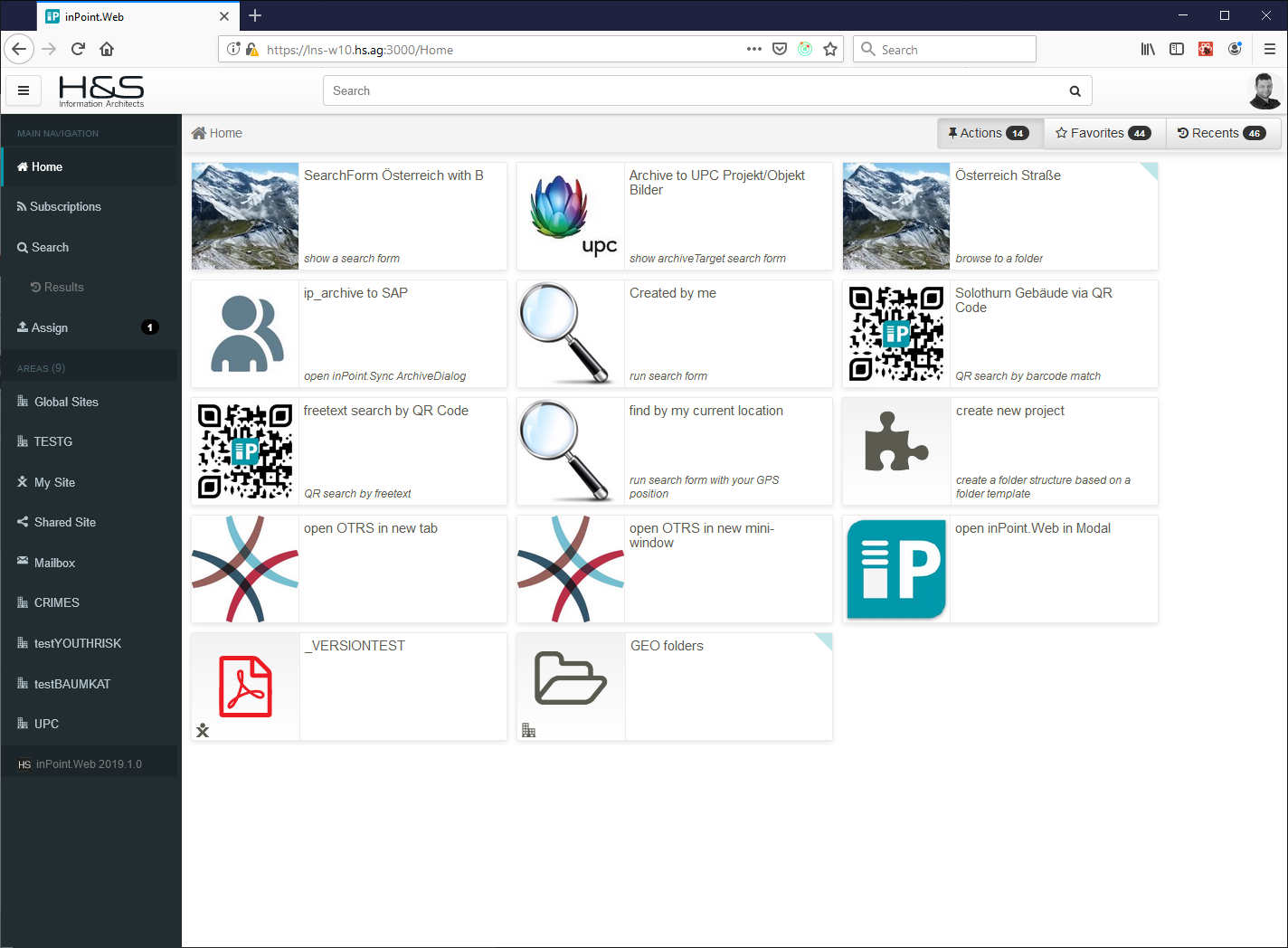
Named homeActions – enables the Home / Actions toggle which requires extra configuration (see Quick Actions).
Projects search results on a Calendar
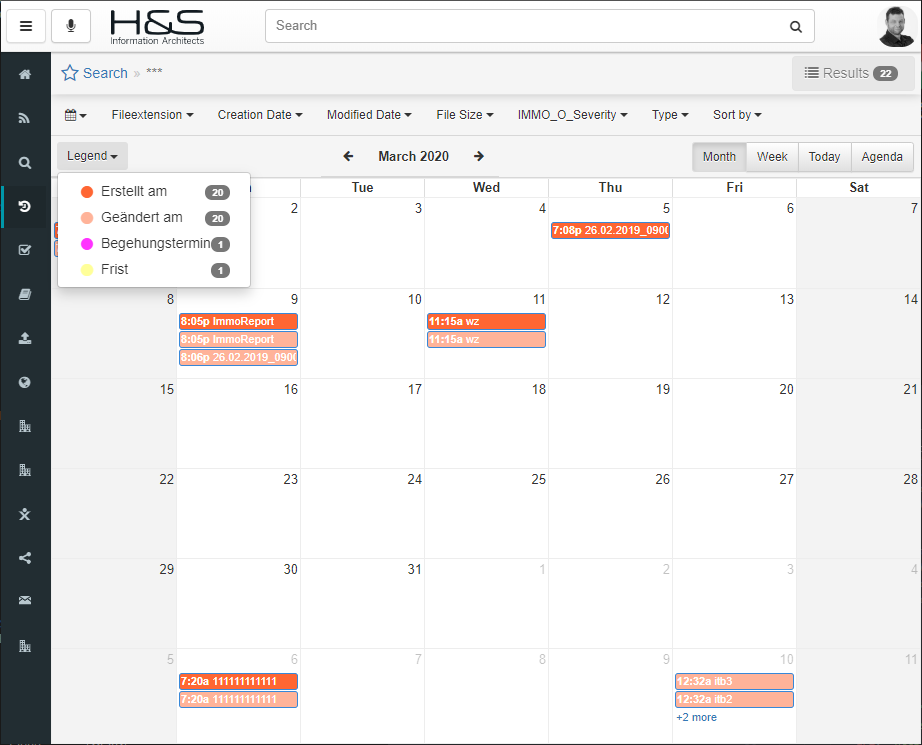
Named searchCalendar - adds a new view mode to any search results to project any attribute dates it can find onto a Calendar. The user can also select which Date field he would like to see, and whether to show a Daily / Weekly / Monthly / Agenda Calendar view.
NOTE: still very experimental and more features are planned.
Offline
Named offline - enables all offline functionalities. These include:
- running as a Progressive Web Application
- suggests installing inPoint.Web as a desktop application
- pre-fetching all required files to be able to start/run without a network connection (happens only once and on version updates)
- marking folders as "Available Offline" (recursive - including all subfolders and all documents)
- network resilience (unstable internet connection while on mobile)
- partial offline editing:
- Saving a Folder and/or Document's Classification (not all Fields are supported)
- Adding notes to Folders and/or Documents
- Uploading files
IMPORTANT Due to the requirement of pre-fetching application files before user authentication, the offline Client conditional feature flags filters work a bit differently:
- Client filters (allowBrowsers, allowIPs, allowIPRanges) are evaluated first and if all matched a pre-fetch on first login will occur;
- User filters (allowUsers, allowGroups, allowOnlyAdmins) can only be evaluated after login and will only apply to the "Make available offline" commands
Uppy Lexmark
External Uppy Plugin from WegenerIT (named uppyLexmark) that allows accessing the Lexmark MFP API to scan (and archive) directly into inPoint.Web while using the MFPs User Interface.
NOTE: This Plugin should only be enabled on the MFPs IP address
Archive targets with ItemFlows
Enable fetching and using ItemFlows to generate the upload classification form.
Note: If only one flow is returned it is auto-selected.