✨ What's New
inPoint.Indexer conversion test
Internal: see TFS [#39446]
When testing conversion it's possible to keep all the created temporary files.
command line: "inPoint.Indexer.exe CONVERT /keep"
command line: "inPoint.Indexer.exe CONVERT /keep"
Classification "Apply to all" Enhancements
Internal: see TFS [#41879]
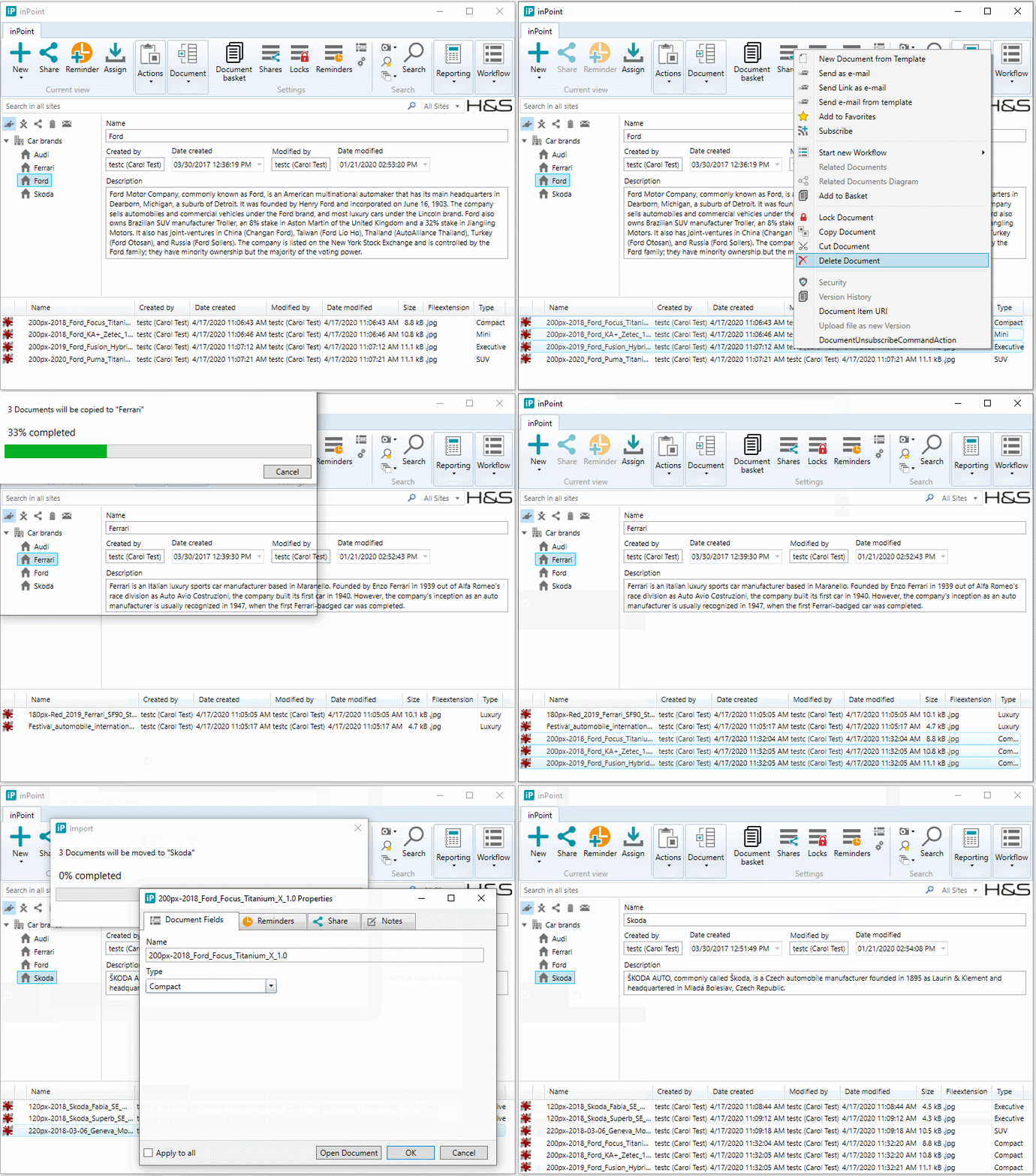
When copying or moving multiple documents inside inPoint and a new Classification is needed, now there is also a "Apply to all" Checkbox which can be selected and then the values are automatically transferred if possible.
Extend Support for linked Folders and Documents
Internal: see TFS [#43876]
This Feature changed the behavior of Document and Folder Links: Instead of just showing them with an Shortcut-Icon the client now encodes the Link-Status into the ItemURI. So it can select the Elements at their exact locations in the Tree. (for Shortcuts, restoring the selected Item on startup, ...)
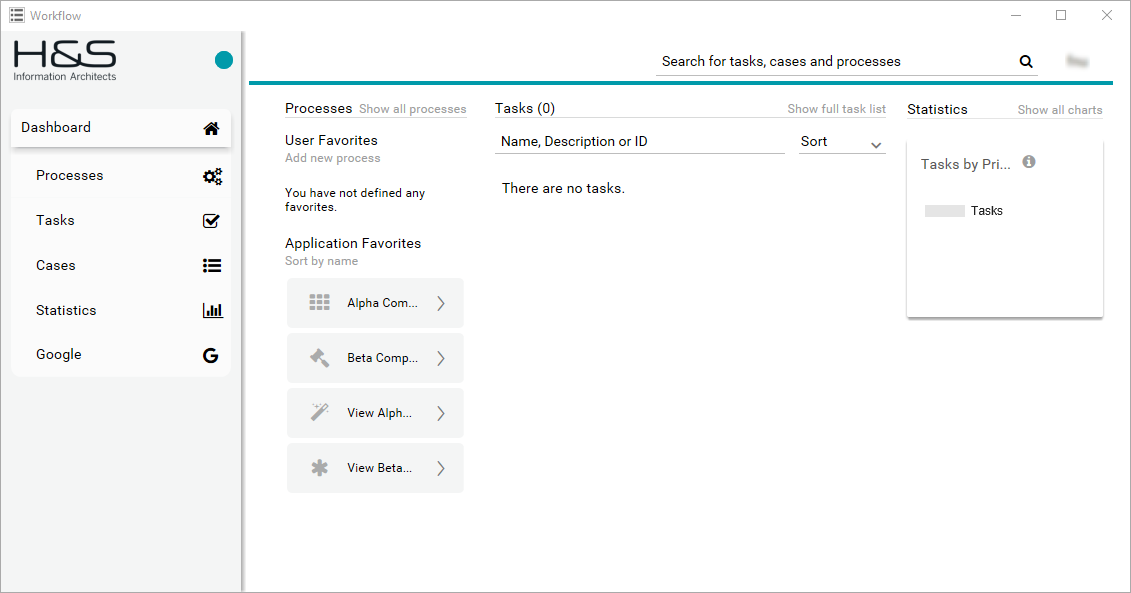
Axon.ivy 8.0 is now supported
Internal: see TFS [#46663]
- Engine Cockpit (replaced AdminUI)
- Setup Wizard
- HSPortal (Completely re-styled, Group Chat, Announcements, Express data providers, Responsive)
- WCF Connection is now using Apache CXF
Migration tool from Pam4Notes DB to inPoint Mailbox DB
Internal: see TFS [#48514]
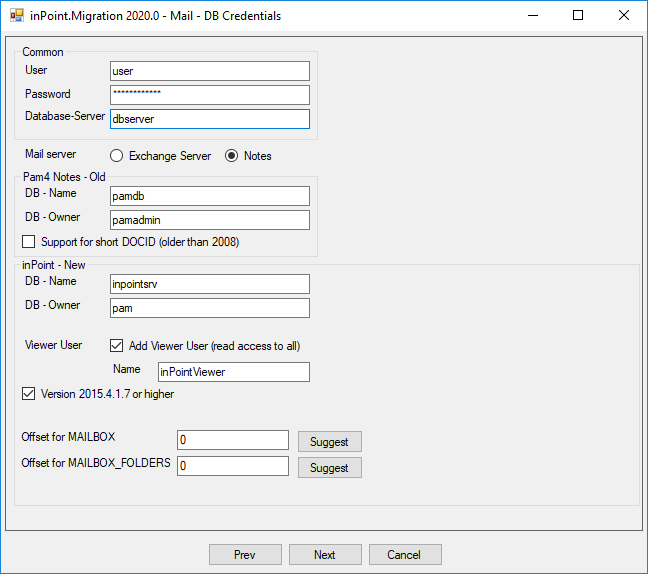
The existing inPoint.Migration tool supports also migrating Pam4Notes mails to inPoint Mailbox DB.
Support DefaultValue for Dependent Lookups
Internal: see OTRS [2019110801000081]
Internal: see TFS [#49504]
When you configure dependent lookups in the ExtraAttributes plugin you can now specify default values for new elements.
Now, also the filtering works when default values are selecting entries in the parent lookup.
**NOTE:** Having lookups with non distinct values is not supported any may not work as expected with default values.
Provide inPoint.Core.Plugins helper to use Generated*Api
Internal: see TFS [#50287]
When implementing inPoint.Core.Plugins ther plugin gets an IApiCustomPluginContext. To use the generated api's some additional values are needed. For this, the IApiCustomPluginContext has now a new Property BaseURL, which retruns the URI of the currently running inPoint.Core.
Security for Creator Owner
Internal: see TFS [#50415]
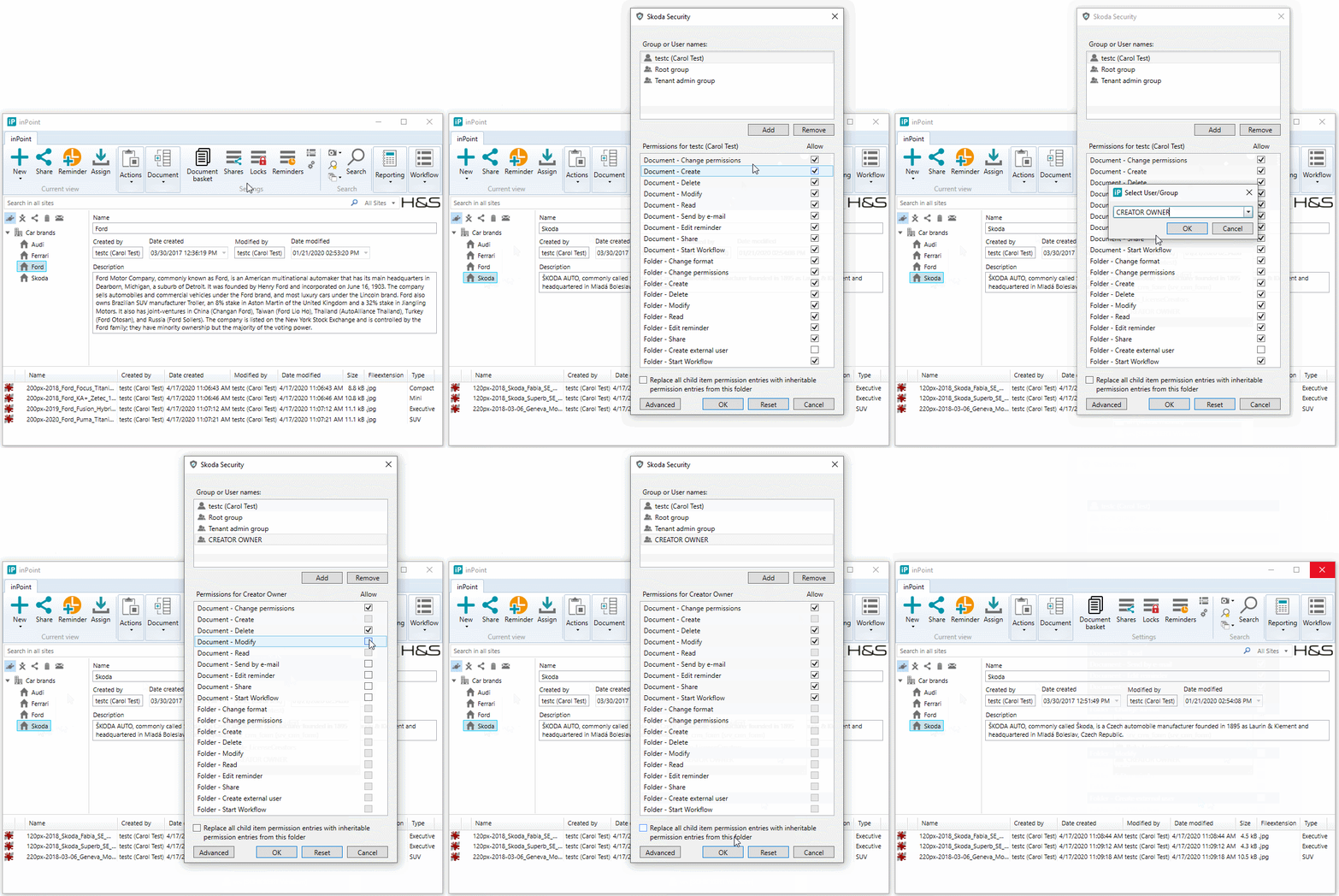
A group called "Creator Owner" can be selected in the Security window to be able to set permissions only for the user which created the document.
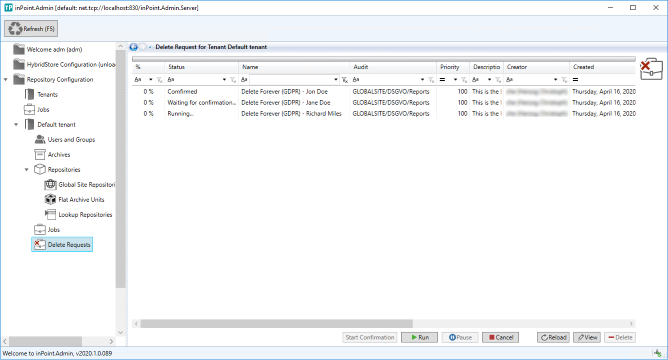
Delete Forever (GDPR)
Internal: see TFS [#50438]
Deleting documents and folder in compliance with the regulations of the GDPR. While purging from inPoint all information is logged into an audit trail which is then archived. See the manual for more details!
Improve CreateFolderFromTemplate with inherited permissions
Internal: see TFS [#50589]
When creating a FolderTemplate the inherited permissions are saved. Previously always the effective permissions where saved.
When ceating folders from a template the inherited permissions are correctly restored (The folders with inherited permissions are create with ACL=-1 instead of creating new ACL's for each folder)
This also increases the speed of the folder-creation.
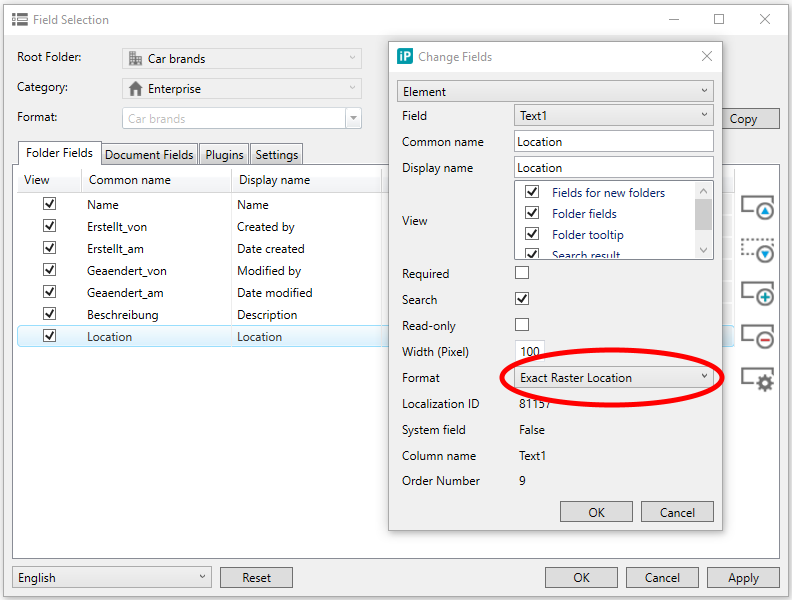
New Field Format 'Exact Raster Location'
Internal: see TFS [#50590]
For all Text Fields in the Field Selection there is a new Format called "Exact Raster Location".
Improve SaveClassification
Internal: see OTRS [2020011601000027]
Internal: see TFS [#50804]
Classification-Plugins are implementing the IClassification plugin. The SaveClassification() method is called when the classification should be saved but when saving the plugin does not recognice if the SaveClassification() is called before or after the HierarchyItem was saved.
So an additional interface IClassificationEx can be implemented. Then the methods BeforeSaveClassification() and AfterSaveClassification() are called. They also get the ItemOperation which can be Create, Update, Move or Copy.
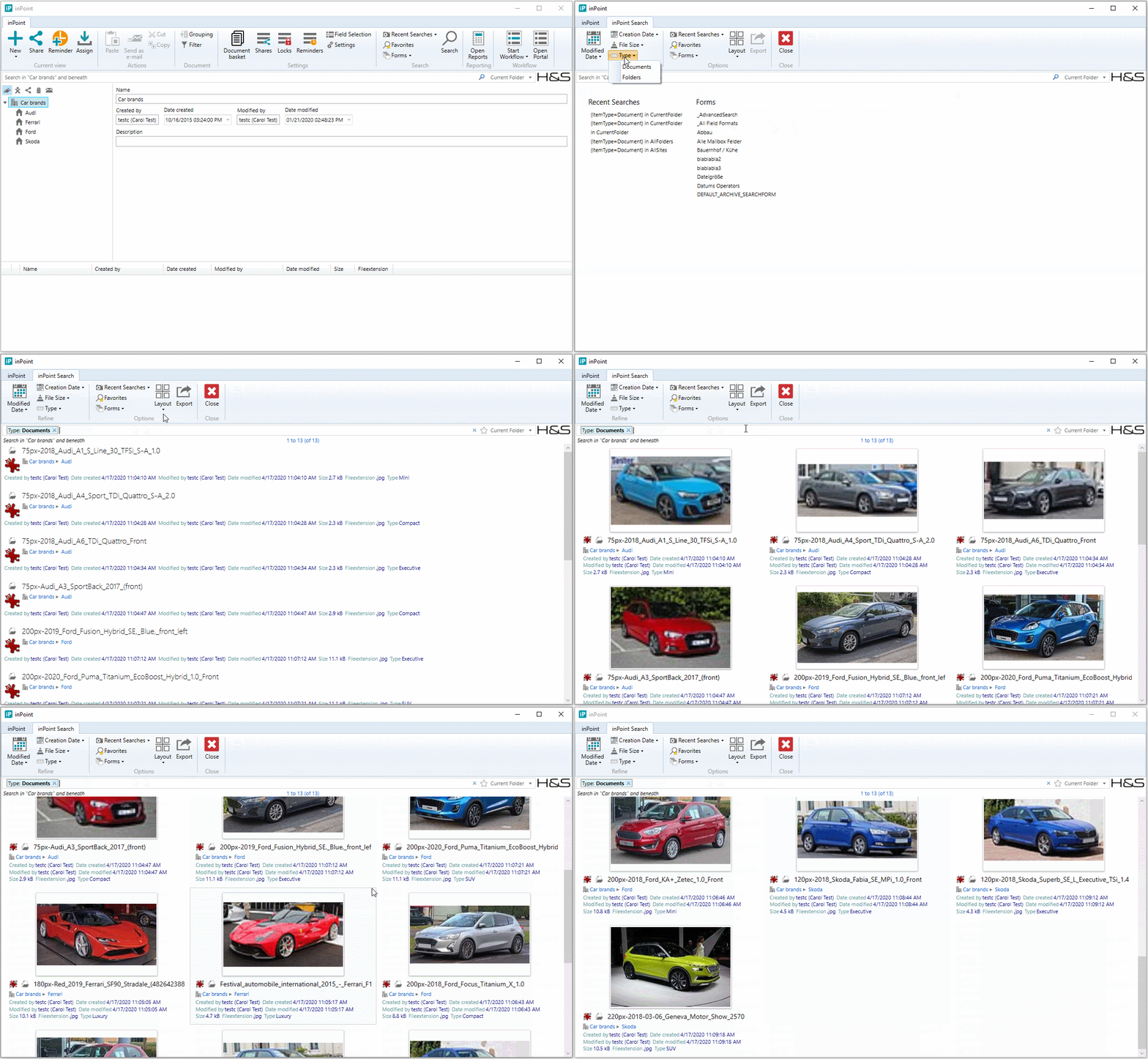
Thumbnail picture quality improvement
Internal: see TFS [#51117]
All existing Thumbnail pictures are automaticallly removed and recreated in higher quality whenever needed.
The Thumbnails are shown in the inPoint.Client in the search results using "Tiles" Layout and in inPoint.Web in the documentlist using "Thumbs" view.
Splash Window for inPoint.Standalone
Internal: see TFS [#51197]
Since starting inPoint.Standalone sometimes takes longer, a Splash-Window was added when starting up.