✨ What's New
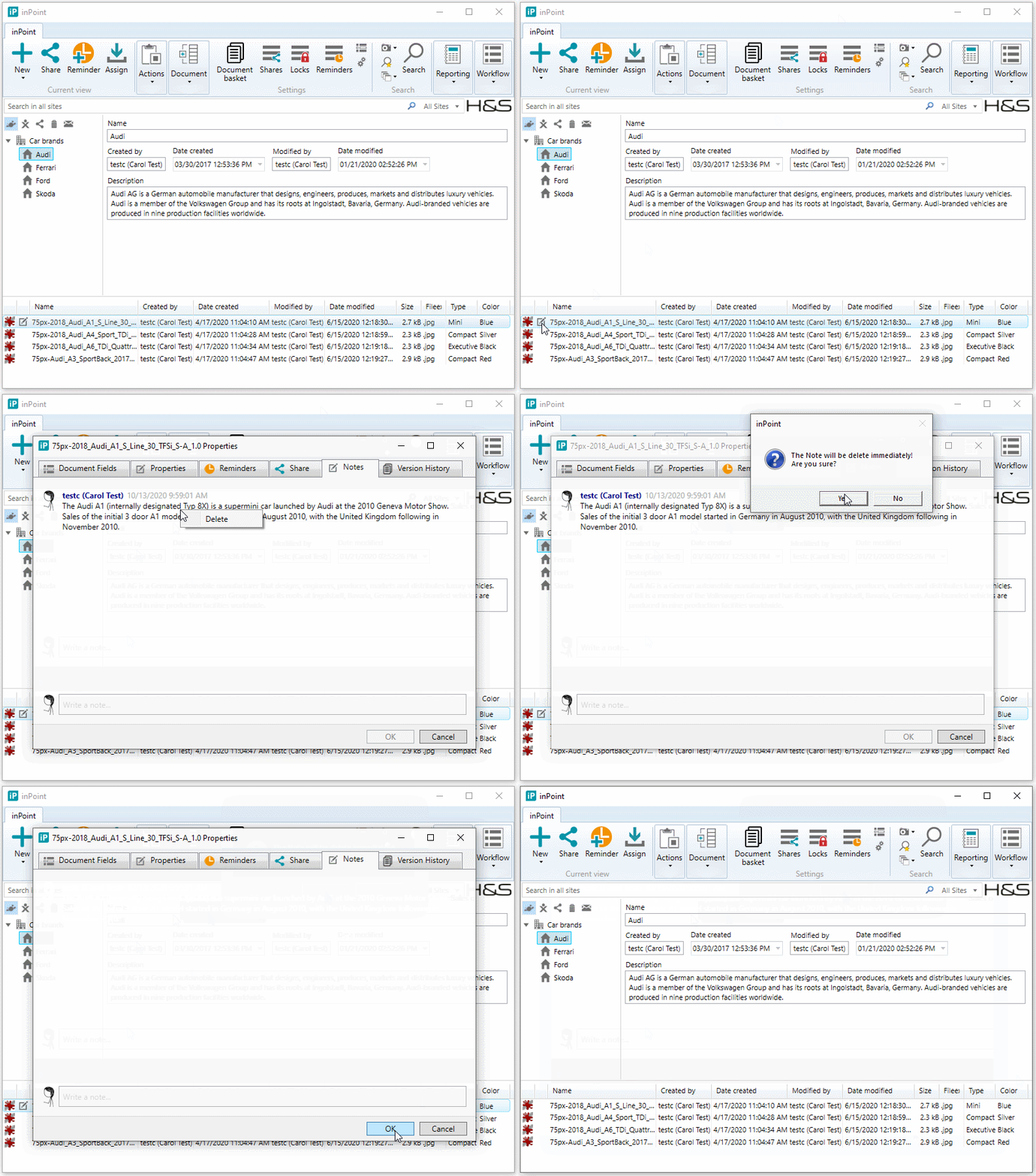
Delete Notes
Internal: see OTRS [2017100201000104]
Internal: see TFS [#40041]
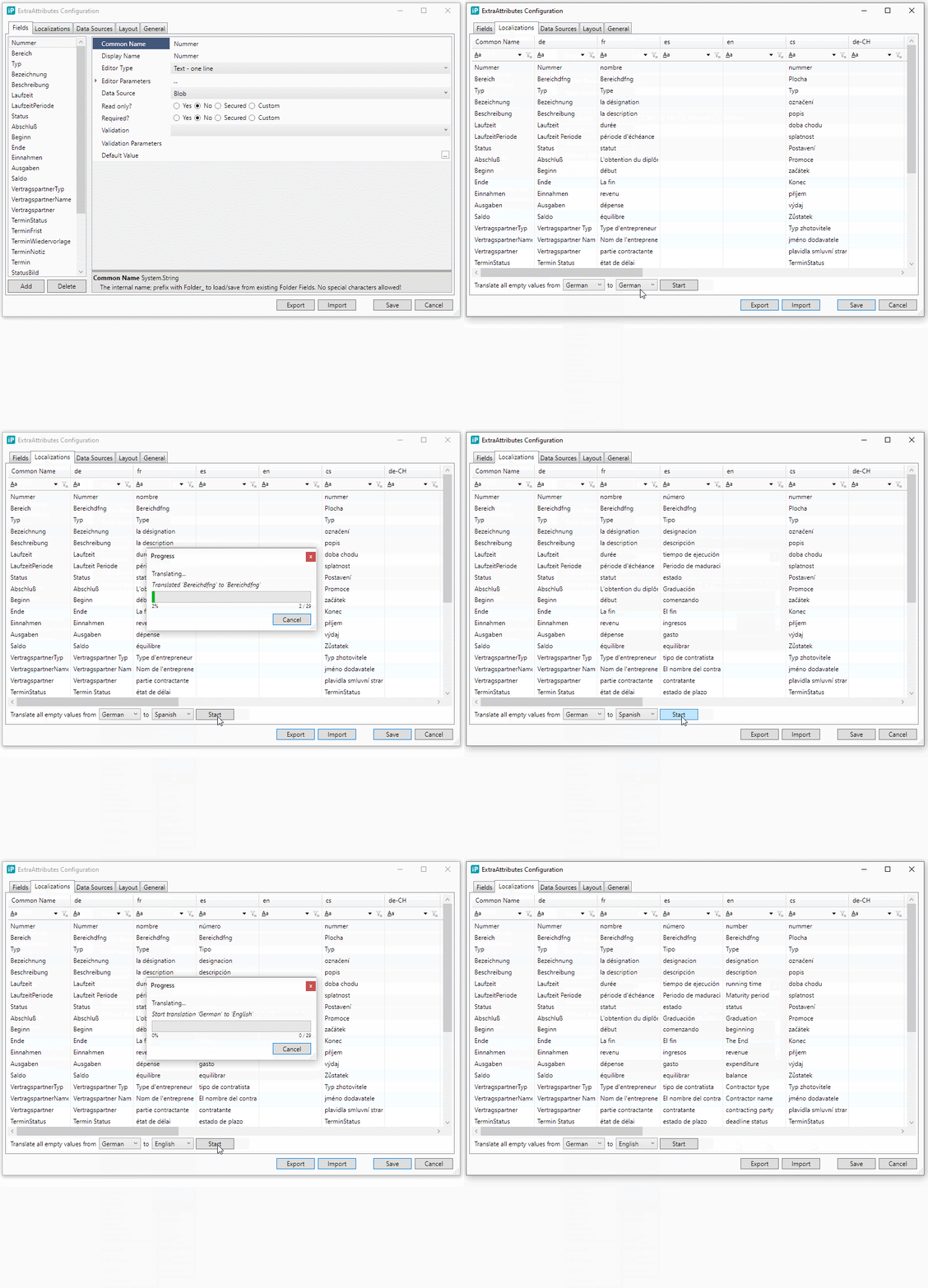
ExtraAttributes Field Display Names can now be localized
Internal: see TFS [#41176]
All ExtraAttributes Field Display Names can now be localized manually or using Google translate to automatically translate all values from one Language to another.
ElasticSearch 7.7.1 is now supported and included in the inPoint.Wizard
Internal: see TFS [#52179]
New supported Languages
Internal: see TFS [#52841]
The Client does now additionally support the following Languages:
- Bulgarian (bg)
- Croatian (hr)
- Russian (ru)
- Ukrainian (uk)
- Slovak (sk)
- Lithuanian (lt)
The Assign Window will appear if any file cannot be archived via the Sync
Internal: see TFS [#53170]
If the User want to archive a new File using the Sync. Then it can happen that this User does not have the necessary rights or cancels the Classification. Now after this actions the Assign Window will appear and the User can choose a different Location. The File will be then archived to the new Location.
Added a "Delete" Button to the Sync Window if the File cannot be archived and is shown with Status "Error".
inPoint.Admin Actions for external users
Internal: see TFS [#53233]
The inPoint.Admin shows in Repository Configuration > [Tenant] > Users and Groups
the User/Group Details Panel on the right side. For users with external logins there is a new
the User/Group Details Panel on the right side. For users with external logins there is a new
section External Login shown.
This section shows if 2-Factor Authentification is enabled, if the user is locked out and other detils
for the external login.
On the right/bottom side of the Panel there is a button which opens a context menu. This menu
allows you to run some operation on the user:
- Reset the 2-Factor Authentication: Visible if TwoFactorEnabled and enabled if LoginToken is set
- Reset a lockout: Visible and enabled is user is locked out
- Enable or Disabled the user. This sets the Deleted-Flag of the user to AdministrativelyDeleted or Active
Axon.ivy 8.0.9 is now supported
Internal: see OTRS [2020091601000031]
Internal: see TFS [#53534]
DocumentTemplates encoding
Internal: see OTRS [2020101501000057]
Internal: see TFS [#53978]
When using text files as document templates (.txt or .html) it's best to save them with encoding UTF-8. The generated document is always UTF-8.
Supported encodings:
Supported encodings:
- UTF-8 without BOM
- UTF-8 with BOM
- UTF-16 with BOM
- ASCII (it's just loaded like UTF-8 without BOM)
Using other encodings some characters might be destroyed/lost when generating the document.