✨ What's New
This list includes all new major features implemented.
Automatic cleanup of fulltext queue tables
Internal: see OTRS [2019031101000053]
Internal: see OTRS [2020081701000021]
Internal: see TFS [#45642]
The cleanup job will now clean the fulltext queue tables from processed objects (default is to wait 30 days and remove only succeeded index requests).
Integrated Webbrowser uses now Edge instead of Internet Explorer
Internal: see TFS [#49891]
The Preview does not require Adobe Reader or any of the alternatives anymore, because it now uses the integrated Microsoft Edge browser.
Check the new Client Requirements!
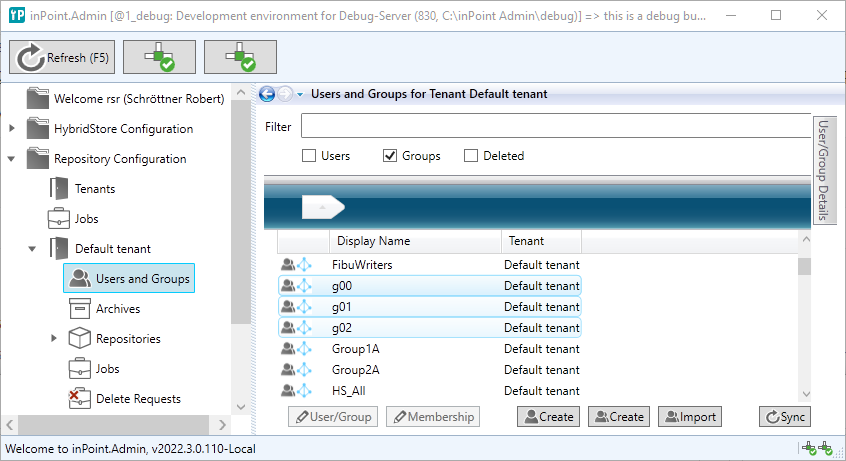
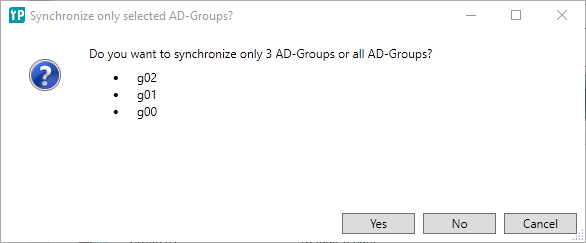
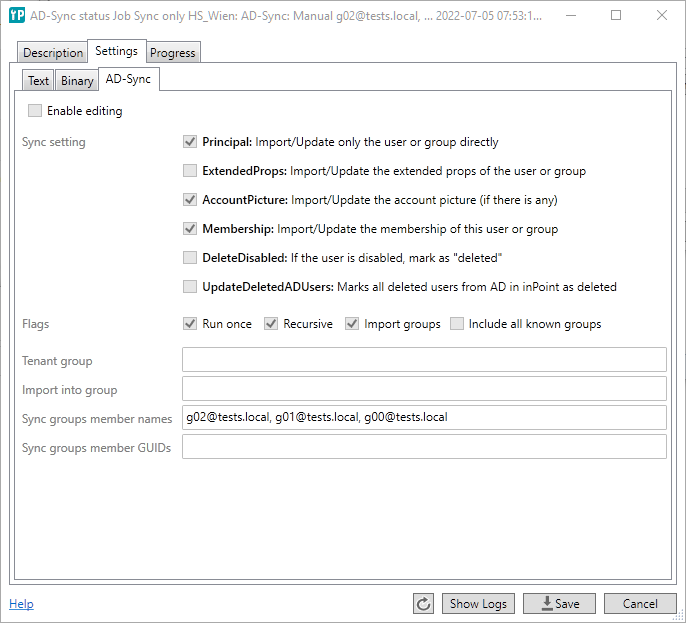
Manual AD-User synchronisation for a single group (or for some selected groups) in inPoint.Admin
Internal: see OTRS [2020060801000104]
Internal: see TFS [#52401]
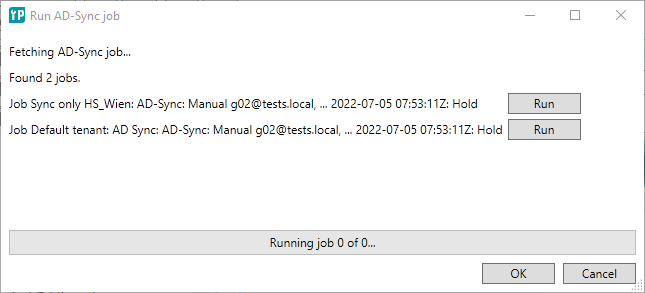
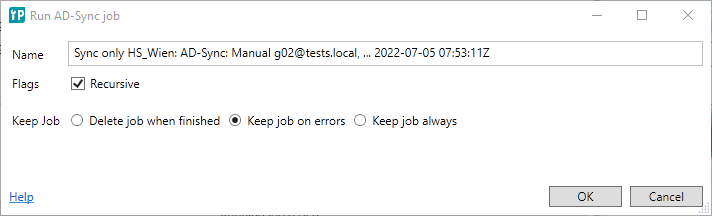
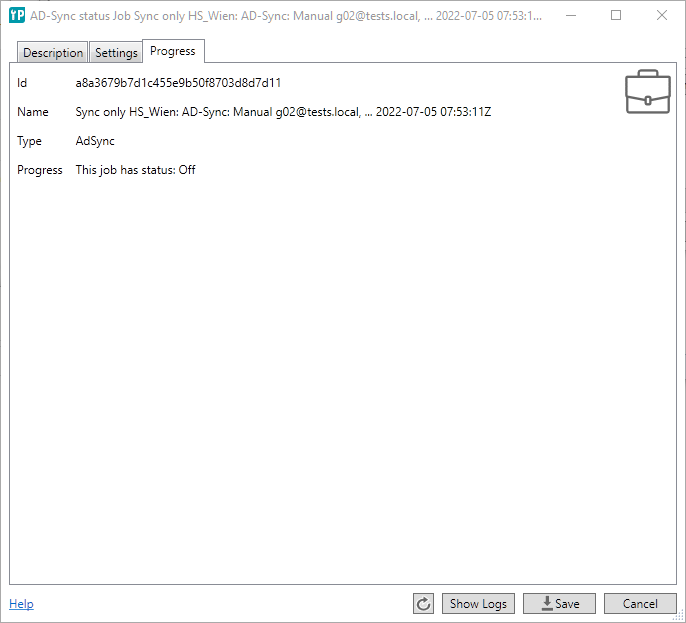
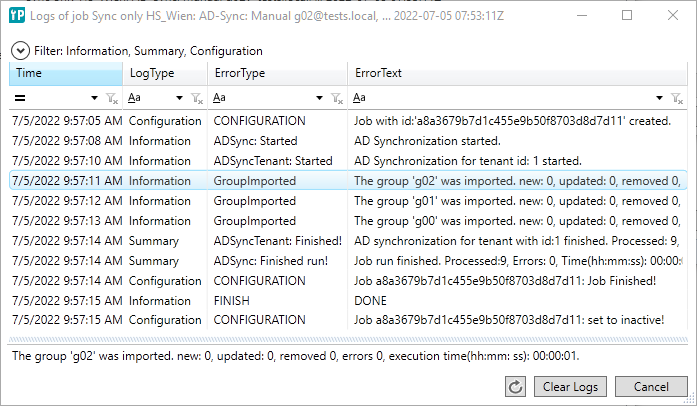
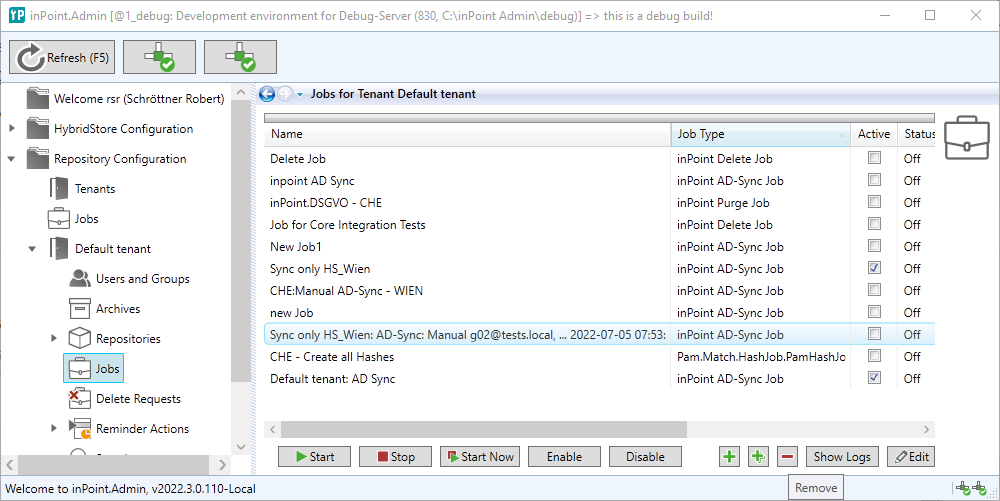
You can now synchronize only a single or some selected AD-groups:
- This option is only available if you have more than one AD-Sync jobs activated. For only one job, the job gets started automatically.
- You can click the button again to see the created AD-settings, the job-status and the written logs of the temporary created job
Multiple Indexer Workers should take care of the correct Queue Table Order
Internal: see OTRS [2021053001000018]
Internal: see TFS [#57267]
When processing items from the full text queue, it's ensured that the items are processed in the order of creation and additional the locking of the table was improved.
Optional breadcrumb in CSV export
Internal: see TFS [#59272]
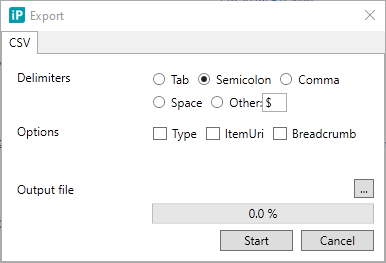
Options where added to the CSV-Export window:
- Type: When checked inserts an additional column $Type to the CSV. Type can be document or element.
- ItemURI: When checked inserts an additional column $ItemURI to the CSV
- Breadcrumb: When checked inserts an additional column $Breadcrumb to the CSV
InPoint.Standalone dialog FieldSelection: The OK-button is not disabled anymore
Internal: see OTRS [2022011201000085]
Internal: see TFS [#60109]
In the FieldSelection of inPoint.Standalone when there are no changes, the OK button is not disabled anymore.
Show different messages while aborting changes for new documents
Internal: see OTRS [2022010301000093]
Internal: see TFS [#60249]
The existing messages when aborting a classification have been changed:
Aborting changes of an existing folder or document shows still the same message:
- Abort changes of folder name?
- Abort changes of document document name ?
- Abort creation of folder foldername ?
And aborting the changes of a new document asks now:
- Abort creation of document document name ?
NOTE: This messages only appear in the classification window. In the edit panel on the right side of the main window there (was and) is no cancellation check and therefore no message box shown!
Double click preview icon in documentlist
Internal: see OTRS [2022011701000138]
Internal: see TFS [#60251]
Double clicking a document in the document list in inPoint.Client opens the file for edit
Single clicking the PDF-Icon opens the preview
Double clicking the PDF-Icon now also opens only the preview
Redemption.dlls are upgraded to 6.2.0.6122
Internal: see OTRS [2021063001000071]
Internal: see TFS [#60256]
Enhanced logs when synchronizing groups in inPoint.Admin
Internal: see OTRS [2022010501000115]
Internal: see TFS [#60471]
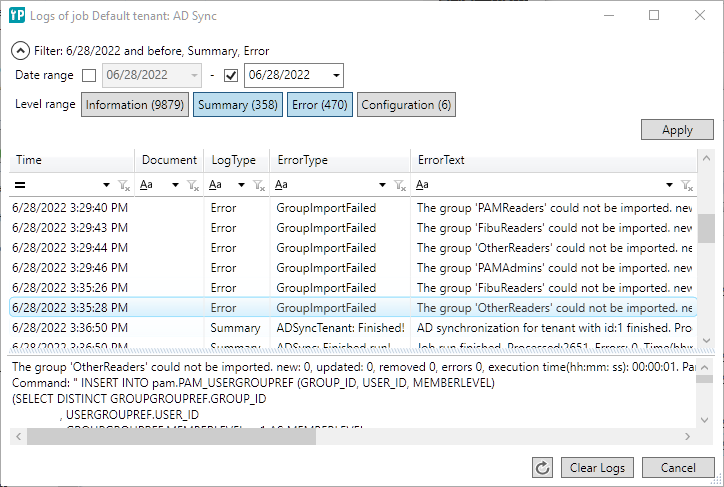
The Logs of the Pam-Archive jobs have been extended/improved:
- LogType: Information, Summary, Error, Configuration, ...
- You can filter by Dates and LogType
- The Filter shows the number of available records for each Type (Total - without date filtering)
- You can sort by Time, Document and ErrorType
- LogType cannot be sorted because the values are stored as numbers in the database. So sorting would not be done alphabetically.
- ErrorText cannot be sorted because Oracle stores this column as NCLOB.
- The logs are loaded on demand (virtual paging is used) so the UI should not block when showing thousands of log records
Classification lookup will now open the dropdown when mouse clicked into the textfield
Internal: see OTRS [2022010301000075]
Internal: see TFS [#60478]
When archiving show the target location
Internal: see OTRS [2022021701000092]
Internal: see TFS [#60538]
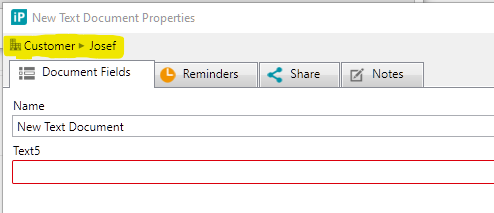
When archiving a new document the classification window shows now the target element.
Check if inPoint.Admin is already running
Internal: see OTRS [2022020701000182]
Internal: see TFS [#60541]
During startup, the inPoint.Admin client now checks for another running inPoint.Admin by the same user.
If so, the user gets a warning and has to decide if he really wants to start a new instance.
InPoint.Admin User-Synchronisation takes too long (without any visual response)
Internal: see OTRS [2022011001000052]
Internal: see TFS [#60713]
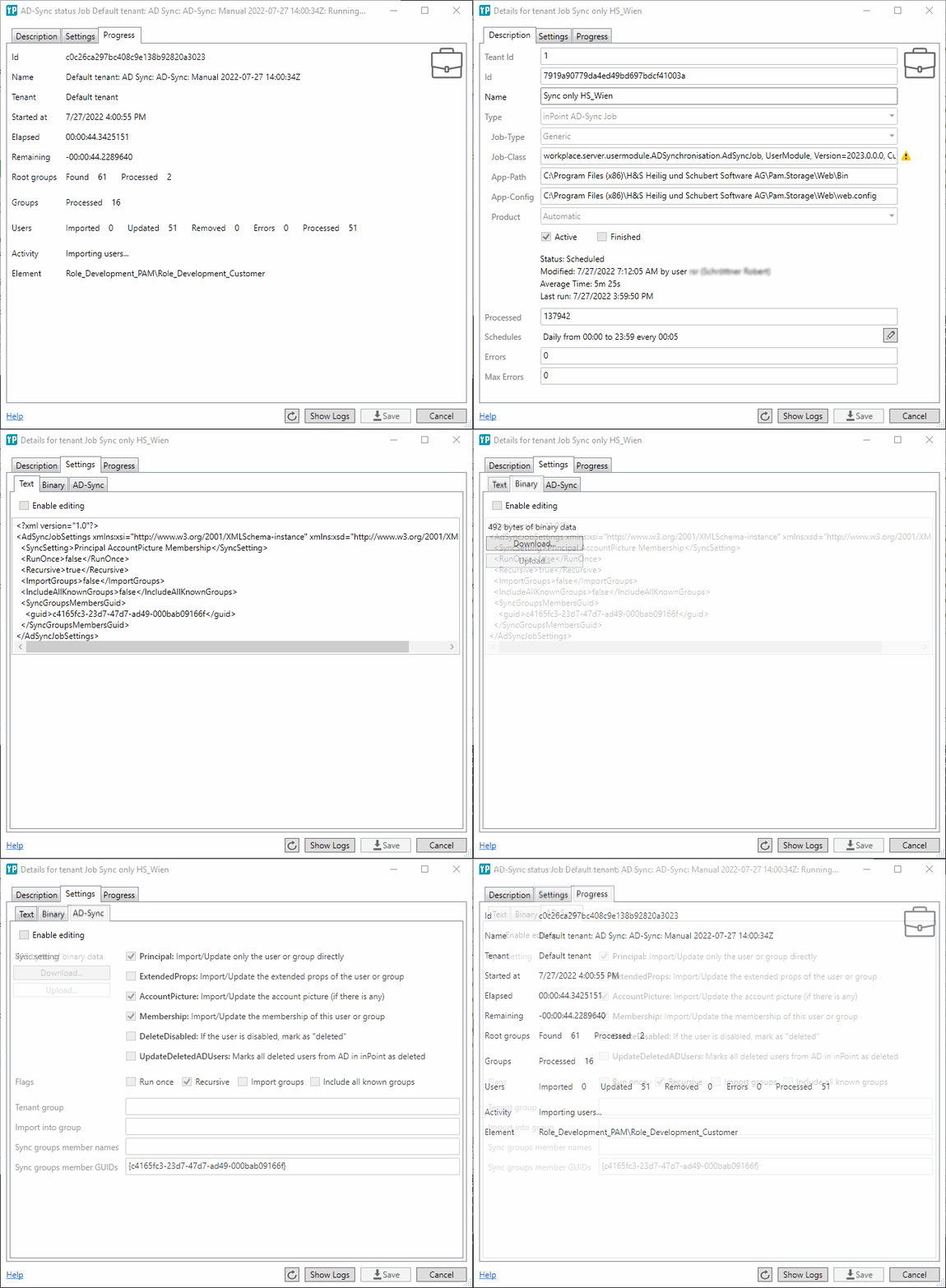
To get more respones when the AD-Synchronisation is running the AD-Job now shows runtime details while running.
To see the progress just open the job details while the job is running.
Archiving via Explorer: Allow user to delete when cancelling
Internal: see OTRS [2022010301000101]
Internal: see TFS [#60771]
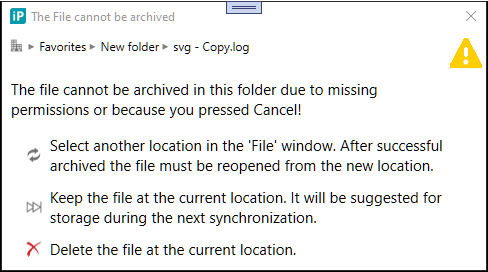
When aborting the classification while archiving a new document via explorer (by dropping the file into the inPoint mirror) you get now three options:
Select another location Keep file for sync later Delete file
inPoint.Sync can now also sync a single file
Internal: see OTRS [2022010301000101]
Internal: see TFS [#60772]
The sync window shows all pending documents. Selecting a document shows you the delete button to delete the file.
Additionally, you can now restart the sync only for this file.
Improved error message when file already exists in inPoint.Mirror
Internal: see OTRS [2022010301000101]
Internal: see TFS [#60773]
When there are files in the inPoint.Sync-Mirror folder which are not archived yet, the files are not shown in the explorer window.
When you drop a file into to the inPoint.Mirror which already exists there you now get a different error message.
When the file could not be added because a file with the same name is already there:
The files already exists at the target location:
file1.txt
file2.txt
For all other errors you still get the old error message:
Error adding files at the target location:
file3.txt: Error Message1
file4.txt: Error Message2
Exclude fields from global fulltext search
Internal: see OTRS [2022020901000035]
Internal: see TFS [#60783]
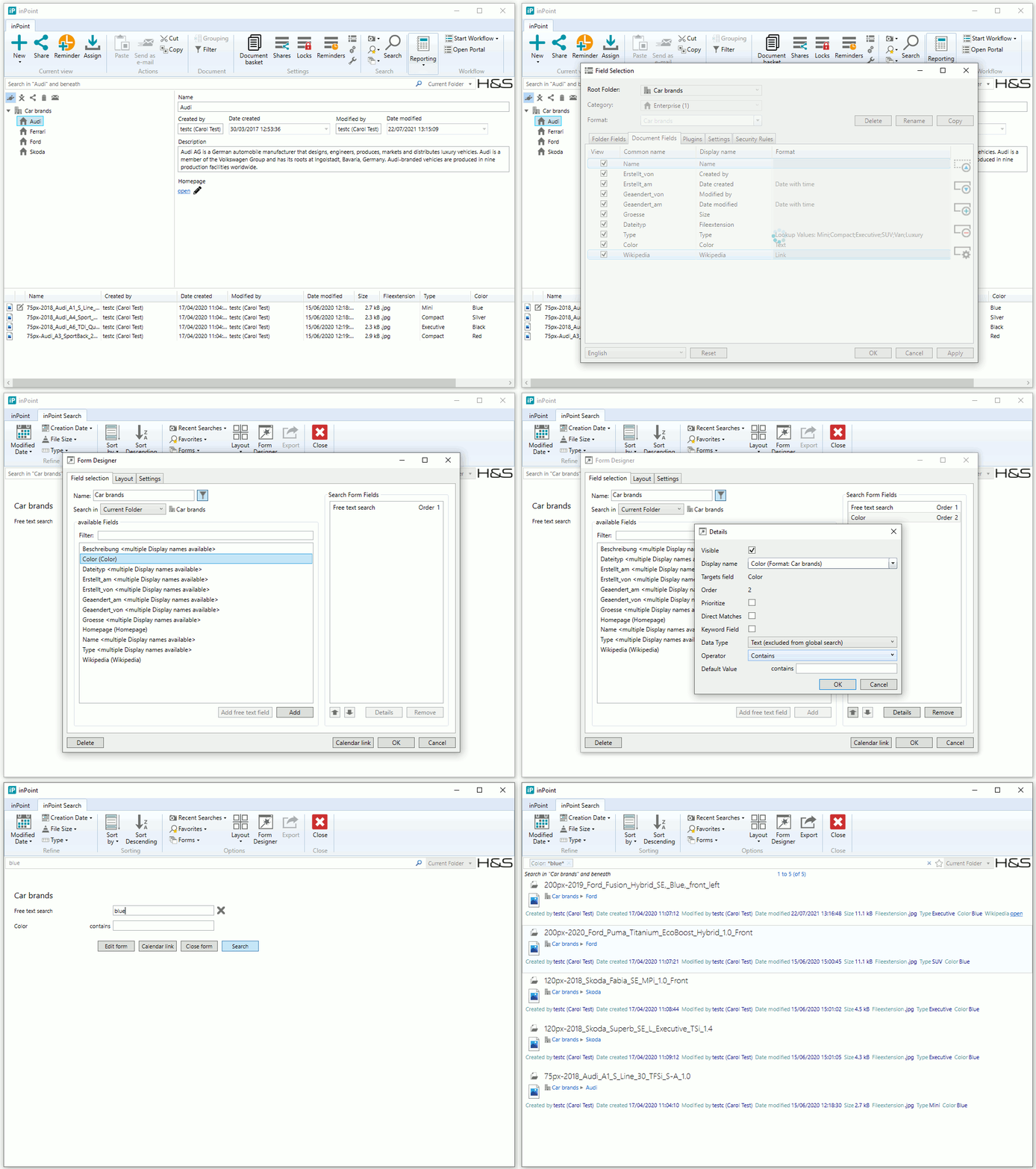
A new setting was added to the "Field Selection" to exclude a field from the global full text search. Using a search form it is still possible to search for the excluded field.
The setting is only available for custom text and custom number fields.
Infragistics was updated to Version 21.2.39
Internal: see TFS [#60908]
Office 2010 is not supported anymore
Internal: see TFS [#61020]
inPoint.Core MoveDocument /api/v1/docs/move has now optional body
Internal: see OTRS [2022031701000045]
Internal: see TFS [#61028]
The inPoint.Core method MoveDocument HTTP-POST /api/v1/docs/move has now an optional BODY. So instead of specifying an empty body "{}" you can keep the body empty.
There is no breaking change when using the web method manually.
When using the swagger-API or our generated-API there are some changes:
The previously required parameter patch is now optional, renamed to operation and moved to the last position.
Previous method signature:
Dictionary<string, object> MoveDocument( string itemUri, string targetItemUri, List<Operation> patch, string ifMatch = null, string xImpersonation = null, bool? summary = null);Current/new method signature:
  Dictionary<string, object> MoveDocument(    string itemUri,     string targetItemUri,     string ifMatch = null,
    string xImpersonation = null,    bool? summary = null,    List<Operation> operation = null);
Added new method "UpdateDocRetention" to inPoint.Core API
Internal: see OTRS [2022031601000065]
Internal: see TFS [#61040]
New method called "UpdateDocRetention" was added to the Docs Controller in inPoint.Core.
For more details take a look at the swagger definition for "Docs" => "/api/v1/docs/retention"!
For more details take a look at the swagger definition for "Docs" => "/api/v1/docs/retention"!
All Create and Update Docs methods are now taking care of the configured HybridStore Scheme and Retention time from the Global Site.
inPoint.Sync can now start any CommandAction via an inPoint URI
Internal: see TFS [#61256]
Any
CommandAction can now be started with the inPoint URI inpoint:commandaction?name=xxx.
For
more details see the CommandAction
in the documentation!
Bring standalone window to top-most when clicking link
Internal: see OTRS [2022040701000035]
Internal: see TFS [#61720]
When opening the inPoint.Client by clicking an inPoint-Link the standalone client starts up in forground.
Also when the client is minimized it gets restored.
Now, when the client is already running and not top-most (hidden by other applications) the client comes also into the foreground.
Number Format "Decimal 3 decimal places" added
Internal: see OTRS [2022020201000119]
Internal: see TFS [#62018]
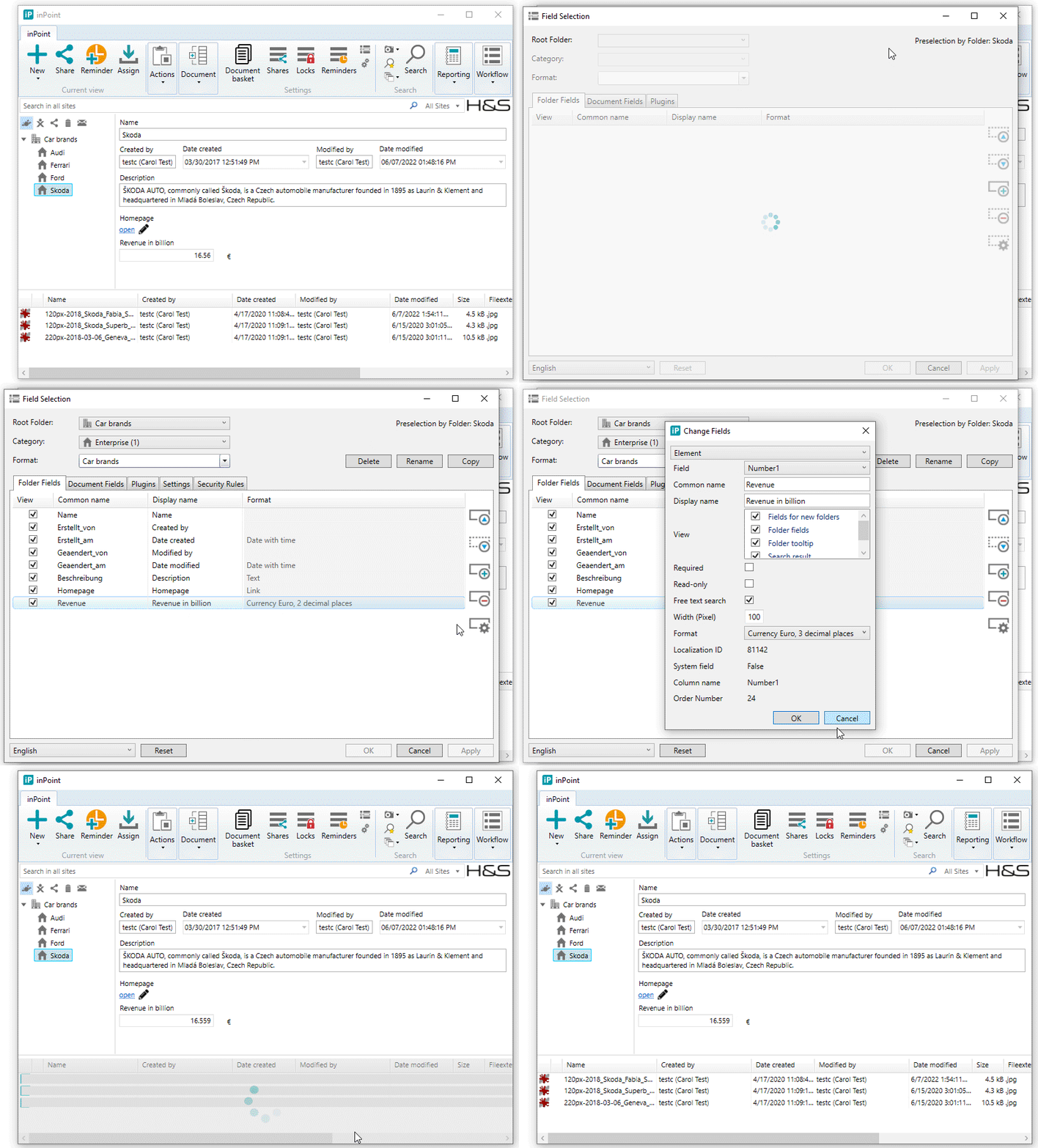
Three new formats was added to the number folder and document fields properties:
- Decimal, 3 decimal places
- Currency Euro, 3 decimal places
- Currency Dollar, 3 decimal places
New Template Engine and Administration
Internal: see TFS [#62072]
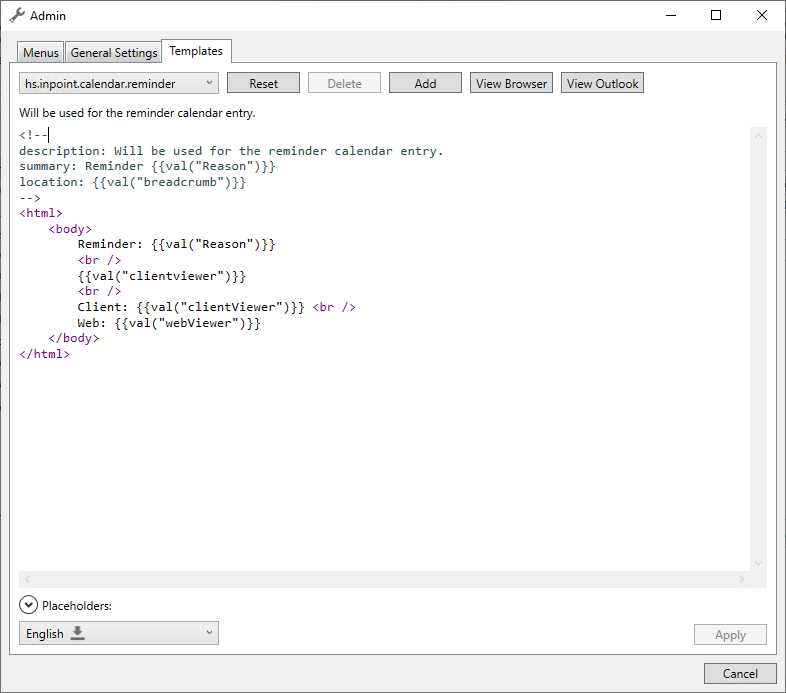
From now on templates (E-Mail, Task, Calendar) will be managed in one central tab in the administration window.
Nearly every system template can be customized here.
For example:
- Share E-Mails
- Reminder Tasks, Calendar Entries and E-mails
- "Send as E-Mail" and "Send Link as E-Mail" Actions
The editor features syntax highlighting, a preview in both, outlook and the default browser, and will also support making different changes for different languages.
Also, if a template was customized it is possible to reset it to the (H&S) system default.
All available templates were translated in every supported language.
It is now possible to use more sophisticated scripts (conditions, loops...) and variables in every available template.
Since most of them are HTML, images, forms and other customizations are now possible to implement
Also, for implementing custom features it is possible to create new templates which can be used in plugins and rendered on the server or locally.
See the manual for detailed instructions.
.NET Framework 4.8 is now required
Internal: see TFS [#62111]
All Products does now require .NET Framework 4.8 to be installed!
Support for Win11
Internal: see TFS [#62111]
Windows 11 is supported now!
Support for Windows Server 2022 & SQL Server 2022
Internal: see TFS [#62111]
Windows Server 2022 and SQL Server 2022 are supported now!
Plugin to check for duplicate WebDavName when classification opens
Internal: see OTRS [2022030801000017]
Internal: see TFS [#62591]
A new Classification Plugin:
- To be added in the Field-Selection as Plugin VerifyWebDavNamePlugin
- When loaded verifies that the WebDavName of a new document does not already exist. If so, opens a MessageBox and asks the user to change the name.
Should be loaded AFTER any plugins touching the WebDavName (for example a DocAttribute which updates 'Doument.Name')
Should be loaded BEFORE any plugins using/showing the WebDavName (for example a DocumentExtraAttributes using ItemFields 'Name')
Since the validation methods are automatically adding file extensions (.txt) ensure to prepare with a WebDavName including the file extensions (DocAttibute should setup "{anySource}.txt" and not just "{anySource}")