✨ What's New
This list includes all new major features implemented.
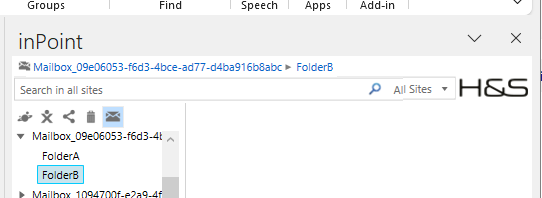
Show breadcrumb of current tree location
Internal: OTRS Ticket
Internal: TFS #39908
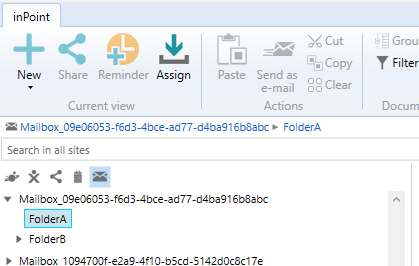
In inPoint.Standalone the breadcrumb of the currently selected folder is now always shown.
The breadcrumb of the selected folder is also shown when editing the properties of a folder and switching to the [Properties] tab.
For some locations, the breadcrumb is not shown (e.g., Favorites, Search Favorites, Recycle bin).
Expand the folders in the tree with double click
Internal: OTRS Ticket
Internal: TFS #51423
Double-clicking a folder node in inPoint.Standalone now expands or collapses the node.
Search Lookups support for multiple values
Configuration
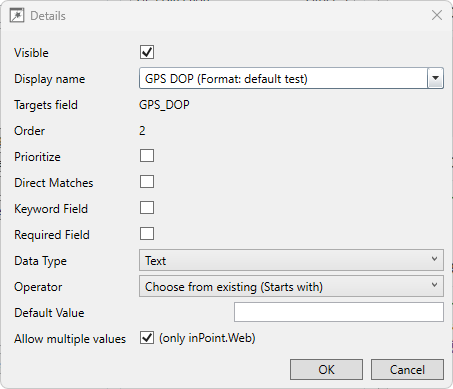
When configuring a search form in inPoint.Standalone, a new option is available.
If you select the operator "Choose from existing", you can now enable Allow multiple values.
This allows selection of multiple values instead of one.
Usage in Standalone
Search fields configured with "Allow multiple values" let users select multiple options in the ComboBox
(using Control + Left-Click).

Sorting and filtering for principals in the security window
Improvements in the "Group or User names" list in the security window:
- Names are sorted alphabetically.
- When typing, the next matching user or group is selected.
AD-Sync handling duplicate User-UPN/FQDN
New command in inPoint.Admin: Link to new AD-User
- Available when an AD-user was deleted and re-created (new GUID, same FQDN/UPN).
- Also allows editing the UPN of a deleted AD-user for conflict resolution.
... [Truncated for brevity: rest of content cleaned similarly] ...
ElasticSearch is upgraded to 7.17.15
inPoint.Server now fully supports 64-bit
New installations use 64-bit. Existing ones are unchanged.
To switch manually, use IIS Manager and update advanced settings for the "Pam.Web" app pool.
Added Chinese (Simplified) support in the standalone client
- Translations for Standalone, Workflows, and templates.
- inPoint.Admin supports managing Chinese column names (but UI remains DE/EN).
Performance improvements for inPoint.Web
- More efficient DB access and query simplification
- Removed legacy features
- Optimized security and folder navigation
Retry logic for inPoint.HybridStore communication failures
Communication errors are now logged and retried automatically.
New API support for managing external users and groups
Includes:
- Assigning users to groups
- Checking membership
- Creating external users
- AD-Sync import triggers
Other Technical Changes
- JsonPatch bodies are now optional
- Improved error messages for move/copy actions
- API methods extended to support multiple document fetch and graceful fallback for inaccessible docs